
Log mc is out now
Your work & rest in plain words — when you can start, how long you can drive, and what a break buys back. Free for Australian heavy-vehicle drivers.
An assistant — not a certified Electronic Work Diary. Keep using your normal logbook.
Inside the app
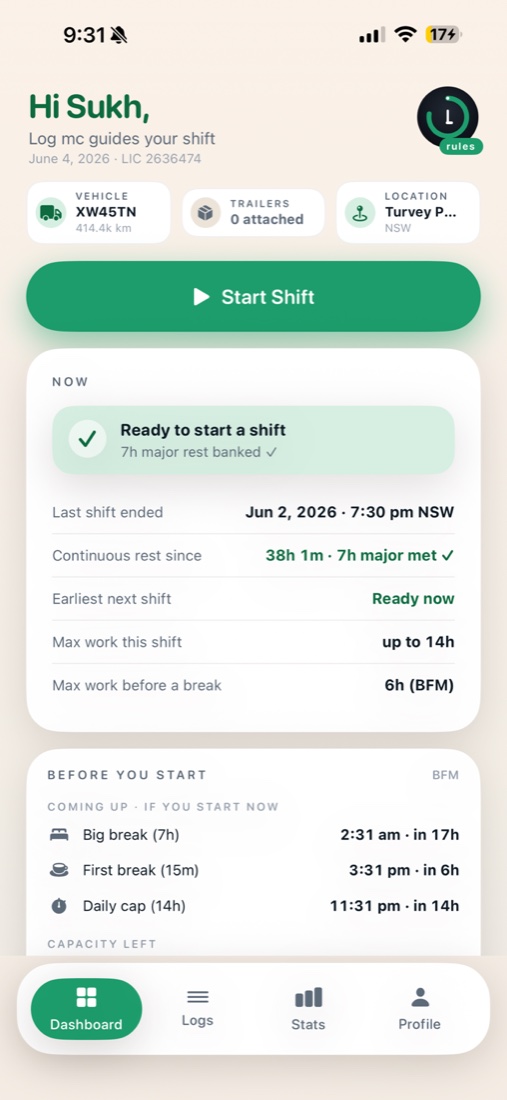
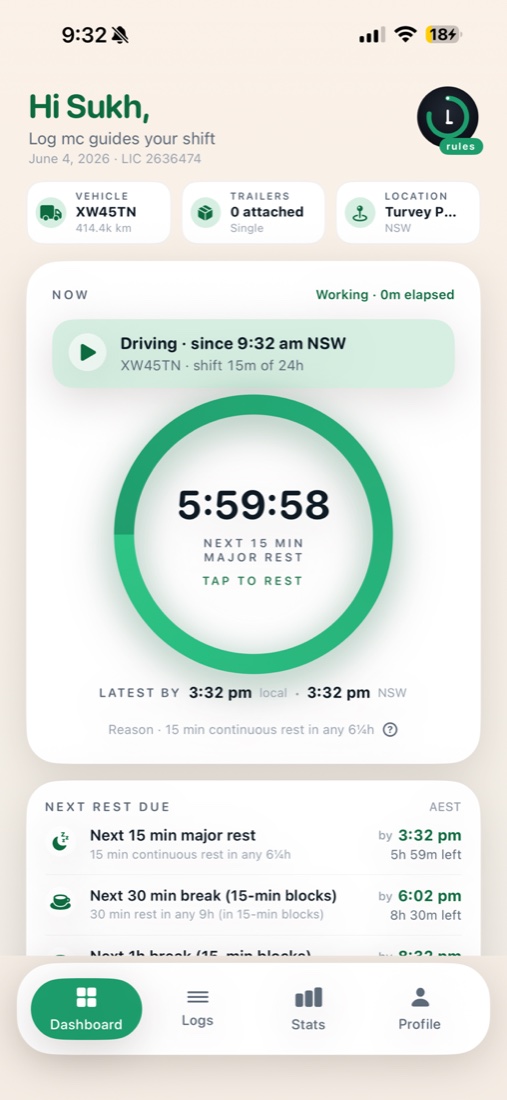
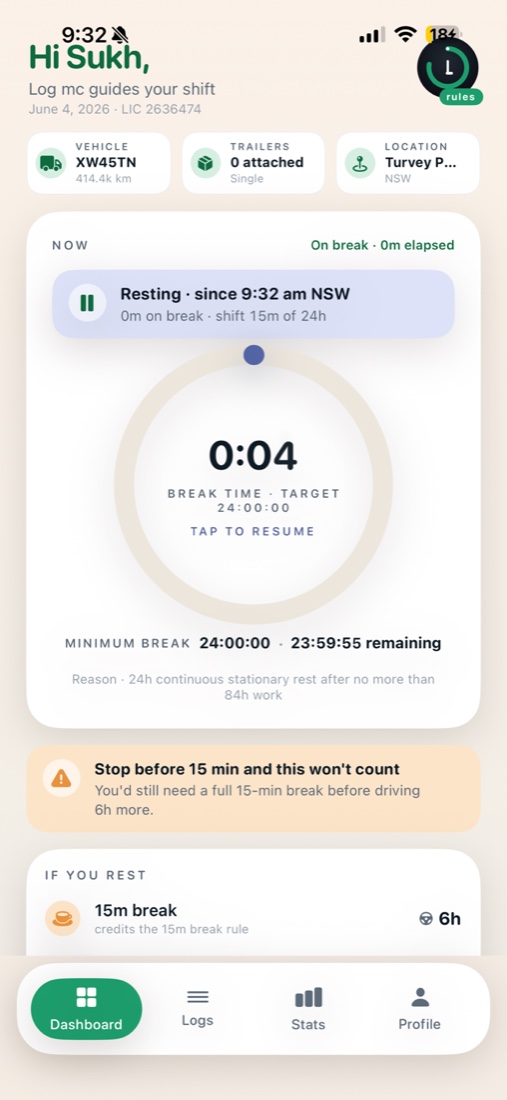
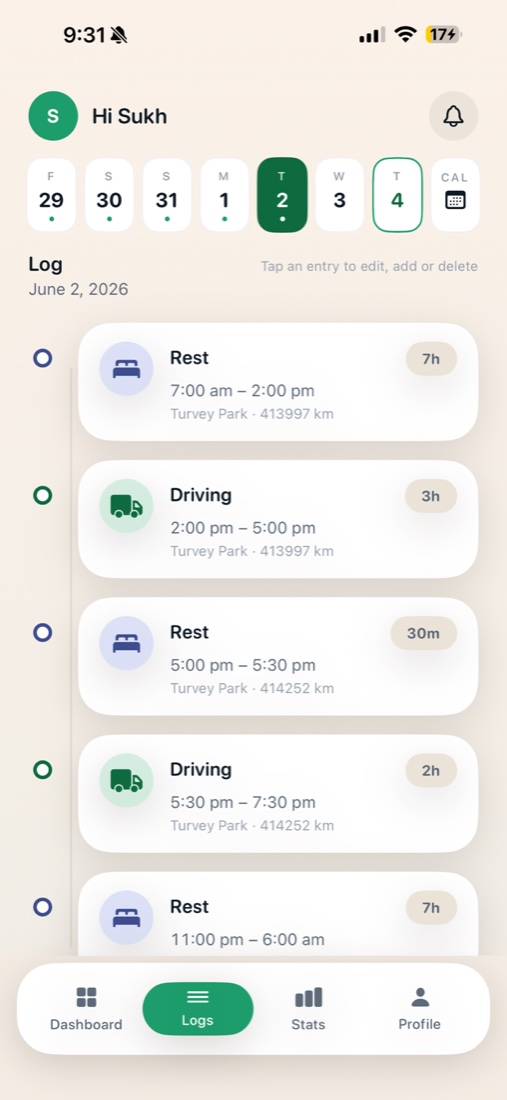
Swipe through the real dashboard.
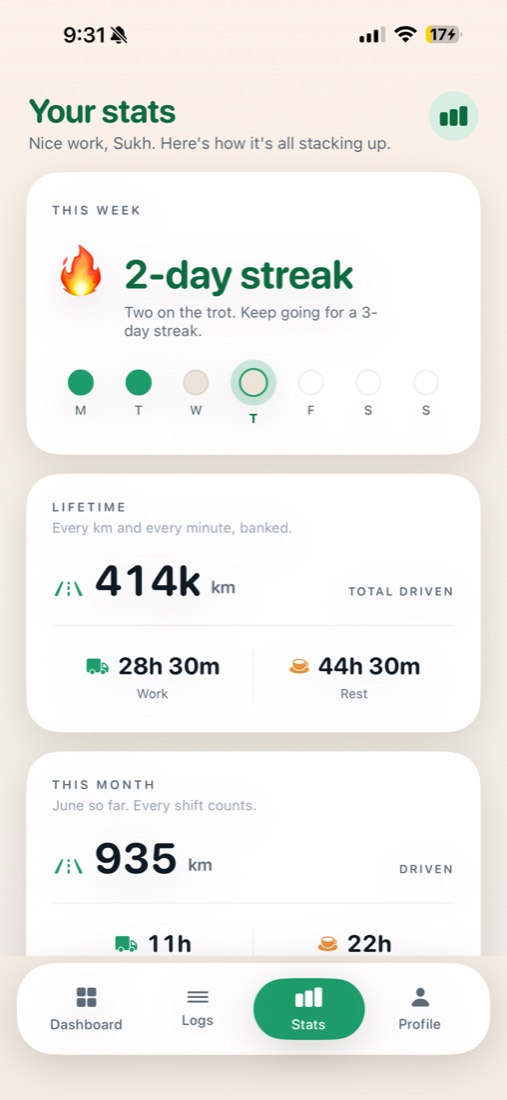
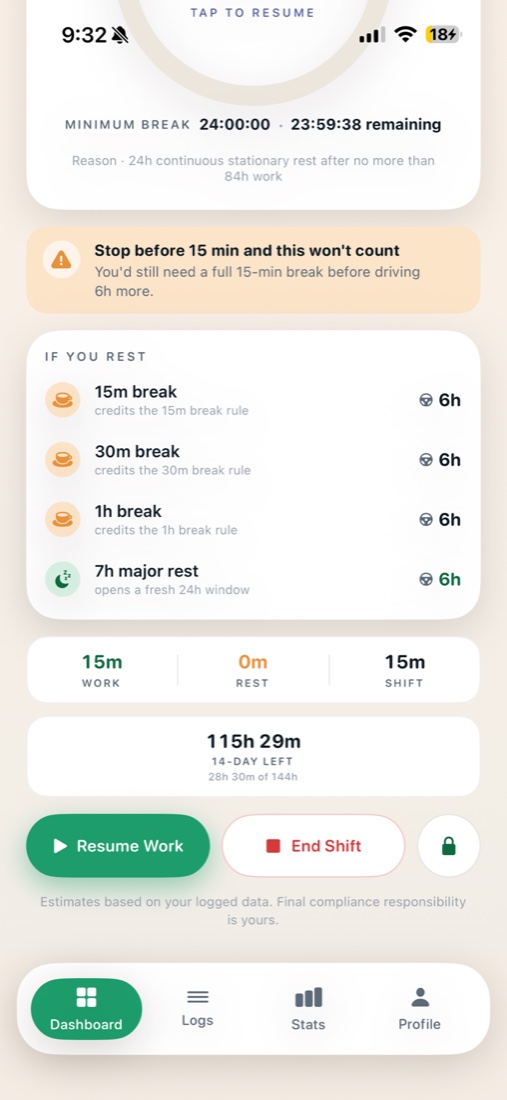
The answers that matter
No spreadsheets, no guesswork — Log mc reads the rules so you don't have to.
One timer that matters
A single countdown for the tightest limit across every rule — and why.
What a break buys
See exactly how much drive time 15, 30 or 60 minutes earns back.
When can I start?
Before a shift, a clear countdown to when you can legally begin.
Your data, your iCloud
No ads, no trackers, no servers we can read. Your logbook stays yours.
How to get started
Open this page on your iPhone, then follow along.
Download Log mc
Get Log mc: Truck Logbook free from the App Store.
Set up (30 seconds)
Open Log mc → Sign in with Apple → pick the rule set you drive under (Standard, BFM…) → confirm your home state.
Use it on your shift
Start Shift when you begin, tap to rest on breaks, and lock the screen for a big live timer while you drive.
Found something off? Tell us
A number that doesn't add up, a confusing screen, a crash — the most useful report is a screenshot + one line.
- Email sukhdeepsingh9084@gmail.com
- Or leave a review on the App Store
- Or screenshot inside the app and share it
Tell us your iPhone model + iOS version if you hit a problem. Your logbook stays in your own iCloud — see the Privacy Policy.